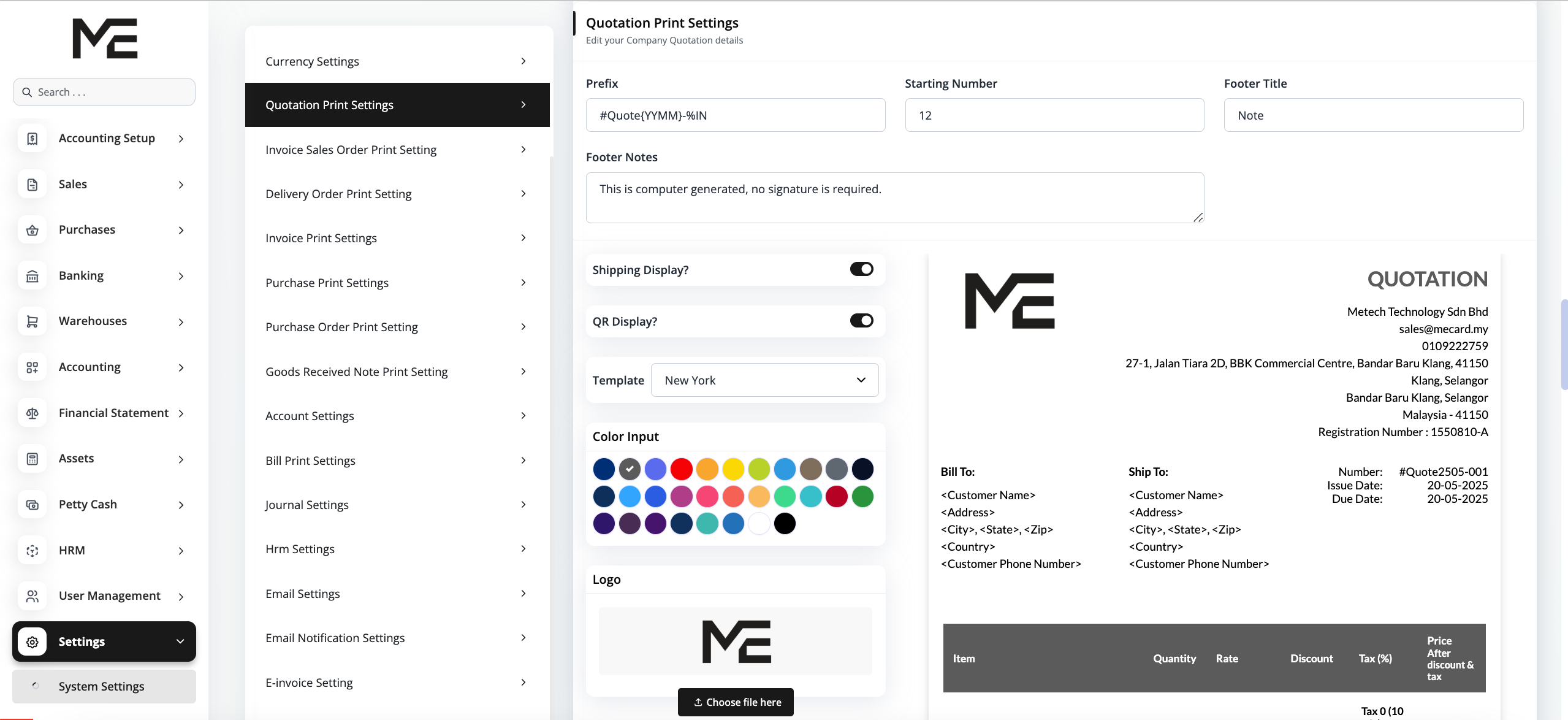
You can choose from 10 ready-to-use templates for your business documents.
To customize, go to System Settings , and select a document type (e.g., Quotation). You can then edit the following settings:
- Prefix – Set a custom prefix for document numbering Learn more
- Starting Number – Define the starting number for your documents
- Foot Title – Customize the title displayed at the bottom
- Footer Notes – Add additional notes or disclaimers
- Shipping Display – Toggle shipping details on or off
- Qr Display – Enable or disable QR code display
- Choose Template – Select a design from 10 professionally designed templates
- Choose Color – Pick a color scheme that matches your brand
- Upload Logo – Add your company logo to personalize your documents